

Plus is the paid membership of Aionda Mail. It raises the limits of a free account; addresses, mailbox and encryption work the same way. This handbook deliberately quotes no prices: the purchase dialog in the Web app and the App Store show the current price before anything is charged.
What Plus changes
| Feature | Free account | With Plus |
|---|---|---|
| Remaining forwards per alias | 0, 1, 2, 3, 4, 5 or 10 | Also 100, 1000, 10000 or unlimited |
| Expire of an alias | Up to 1 month (31 days) | Also 2 to 6 months or unlimited |
| Storage for Secure Mailbox and Drive together | 50 MB | 5 GB |
| Send email from the Secure Mailbox | No | Yes |
| Send an email from an alias | No | Yes |
| Calendar invitations by email | No | Yes |
| Own domains | No | Yes |
| Turbo Delivery for a Microsoft real address | No | Yes |
Without Plus, an address still forwards every message it accepts until its forwards are used up or it expires; the limits only decide how long and how often. Choices that need Plus are marked in the lists, and saving them without Plus is refused.
Storage
The Secure Mailbox (messages and attachments) and Drive share one storage allowance. Files in the Drive trash still count until you delete them for good. The Storage bar at the bottom of the mailbox folder pane shows how much is used.
| Account | Storage |
|---|---|
| Free | 50 MB |
| Plus | 5 GB |
| Plus that you paid for yourself has ended | The mailbox keeps receiving email up to 1 GB. New uploads to Drive are only possible while mailbox and Drive together stay below 50 MB. |
Employees and AI employees of a company receive Plus through the company while its owner has Plus. When an import runs out of storage, it pauses and continues on its own once there is space.
Subscribe in the Web app
- Click your username at the top right and choose Plus membership. The window Aionda Mail Plus Membership shows your current status.
- Choose Subscribe now. The dialog Change Plan lists the plans with their current prices: Plus renews monthly until you cancel; Plus Yearly is a one-time payment for a year with no automatic renewal.
- Select a plan and choose Subscribe now. Payment runs through Stripe; the dialog lists the accepted payment methods.
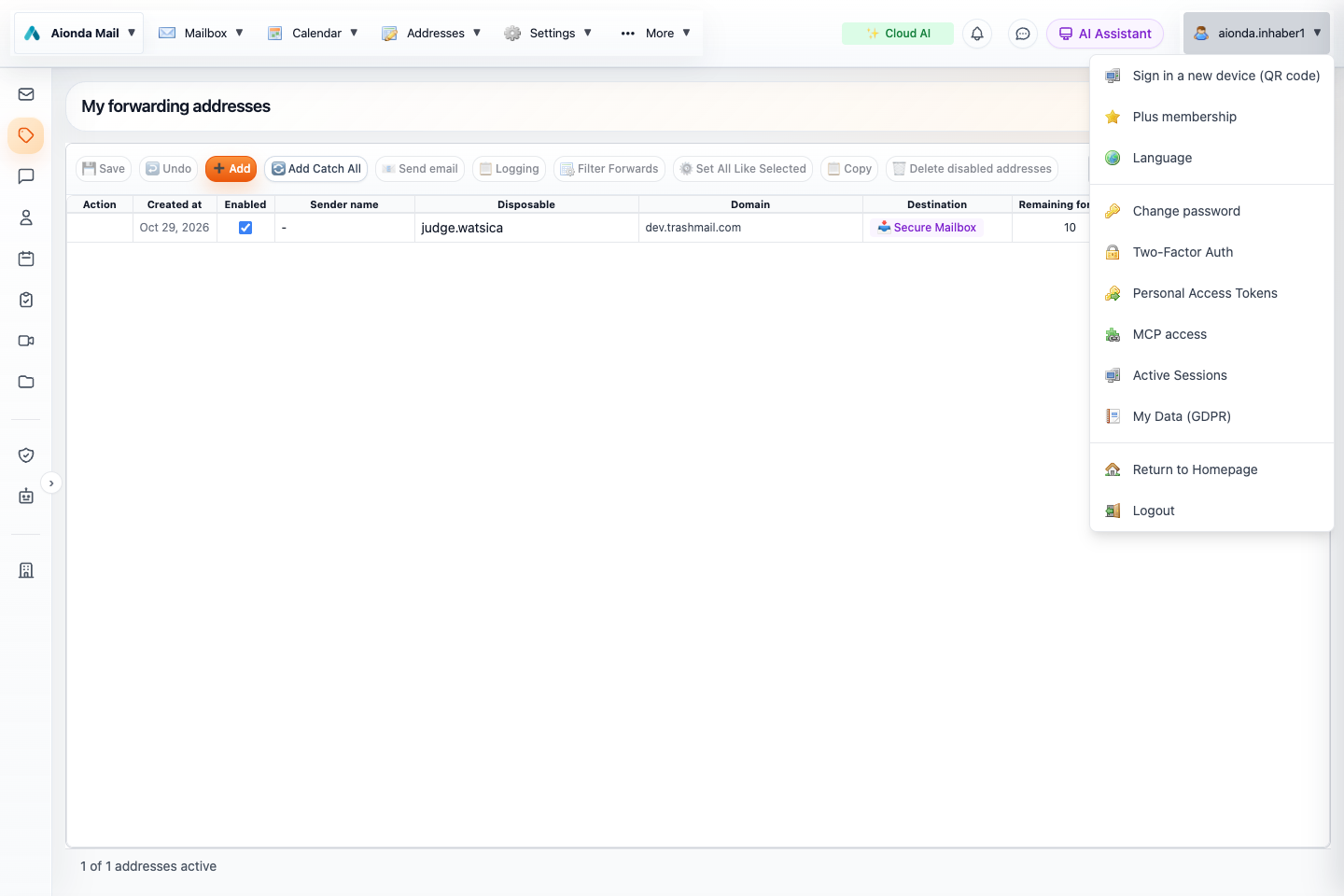
- Click your username at the top right of the Web app.
- Choose Plus membership.
Select the screenshot to open the full-size image.
The same window later shows Plan, Subscription status and Next billing date, and lists your Invoices. Invoices are also sent to your registered email address. Business plans with employee seats are chosen in the same dialog; see Plan, seats and subscription.
The Web steps above follow the current code of the Plus window; the payment pages were not captured for this edition.
Cancel, reactivate or manage
- Cancel subscription in the Plus window asks for confirmation. You keep the Plus features until the end of the current billing period; the window then shows Ends on.
- Reactivate subscription withdraws a cancellation before that date.
- Open Stripe customer portal manages the subscription, shows invoices and changes the payment method.
- Plus Yearly ends by itself after the year. To continue, buy it again or subscribe monthly.
Buy Plus in the Apple apps
In the Aionda Mail apps for Mac, iPhone and iPad, Plus is bought through the App Store with your Apple account: open the settings, section Accounts, and choose Buy in the App Store. Apple shows the final amount and asks once more before anything is charged. Stripe does not appear in the app.
- Restore Purchases fetches the purchases of your Apple account onto a new device and activates Plus there again.
- Manage Subscription … opens the subscription settings of your Apple account; you cancel there.
- If Plus was bought in the Web app, the app says so; change or cancel it in the Web app.
Purchases through Google Play and the Microsoft Store are also recognized for your account; this edition does not describe those purchase screens.