

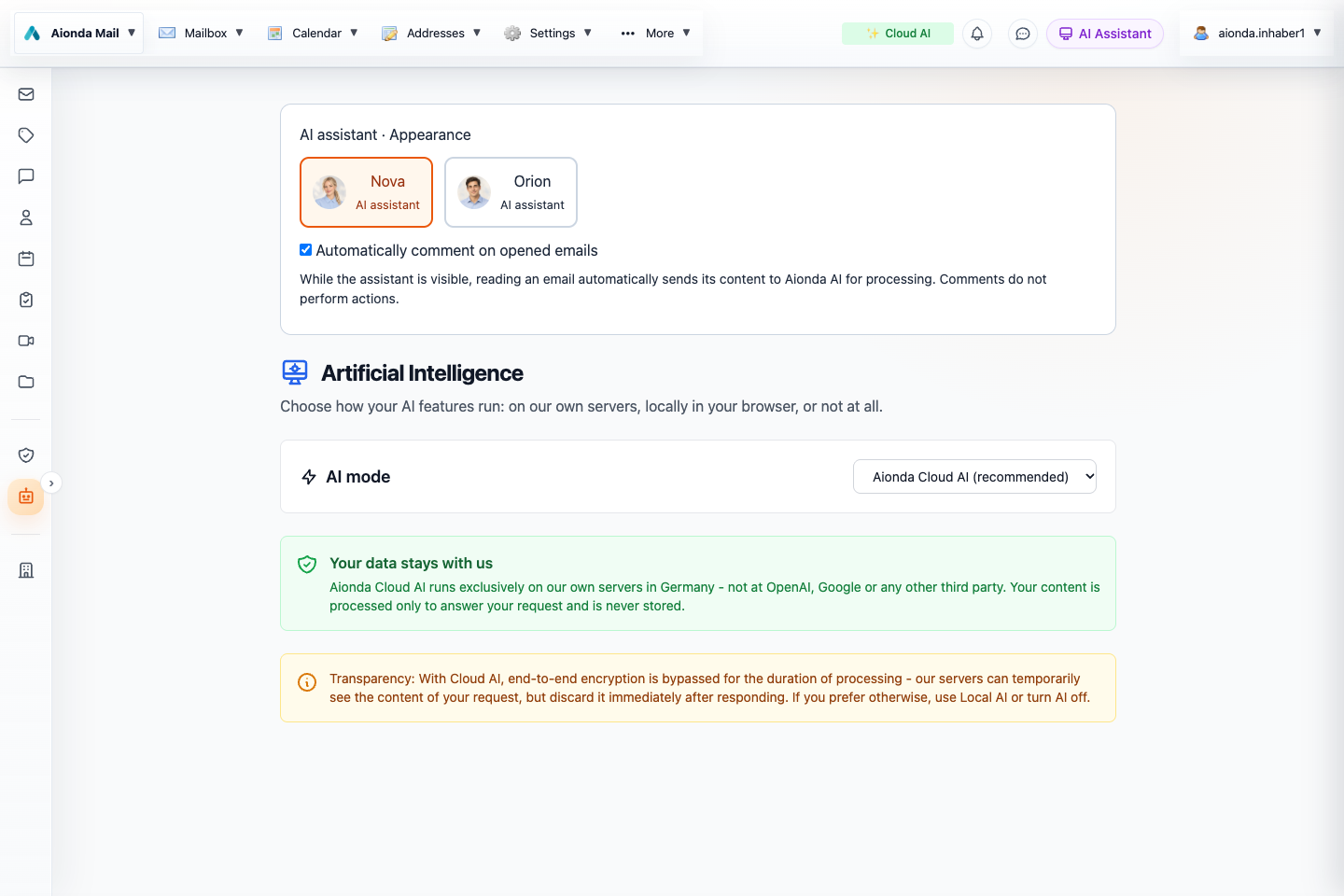
- Enable automatic comments on opened emails if you want reading assistance.
- Choose Aionda Cloud AI (recommended), Local AI or Off.
- Review where readable content is processed.
Select the screenshot to open the full-size image.
Select a mode
Open Artificial Intelligence and review the available mode before enabling features. Cloud AI processes the supplied readable context on Aionda’s AI infrastructure. Local AI runs supported text inference on the device using a downloaded model and compatible browser hardware. Off disables the corresponding AI assistance.
| Mode or capability | Where to pay attention |
|---|---|
| Local text AI | Model download, device memory and supported browser GPU capabilities. |
| Cloud AI | Readable prompts and selected context are sent for server processing. |
| Speech, image or PDF analysis | These features can use separate cloud endpoints; local text mode is not a blanket offline guarantee. |
| External MCP assistant | The connected assistant receives the content returned by its authorized tools. |
Our recommendation: Cloud AI
You can switch to Local AI (in your browser) in Artificial Intelligence → AI mode. Local text AI uses WebLLM and a downloaded model on compatible browser hardware.
Aionda recommends Cloud AI because its own AI infrastructure offers substantially greater processing capability than the browser-based WebLLM option. Choose Cloud AI for the strongest available assistance, especially for demanding requests. Local AI remains an option when you prefer supported text processing on your device and accept its hardware requirements and limitations. This is a product recommendation, not a fixed speed or accuracy guarantee for every request.
Aionda-owned AI infrastructure in Germany
Aionda’s cloud AI runs on infrastructure owned by Aionda and located in Germany. In this setting, “cloud” means processing on Aionda’s own AI infrastructure in Germany.
Cloud AI still requires the selected prompts and readable context to be processed on that infrastructure. This differs from local AI processing on your device. The infrastructure statement applies to Aionda’s cloud AI, not to external assistants you connect through MCP.
Control context
The assistant can comment on the currently opened message when that option is enabled. Turn it off if you prefer to initiate analysis yourself. Check the AI indicator and settings rather than assuming that the persona name, such as Nova or Orion, determines the processing location.
Limits and verification
Models can misunderstand intent, invent facts or misread documents. Confirm recipients, amounts, dates and requested actions before relying on output. Text inside emails, web pages and attachments is untrusted source material, not an authorization to perform unrelated actions.
A personal local-AI selection does not automatically change how a server-run AI employee or an external MCP application operates. Configure those separately.