

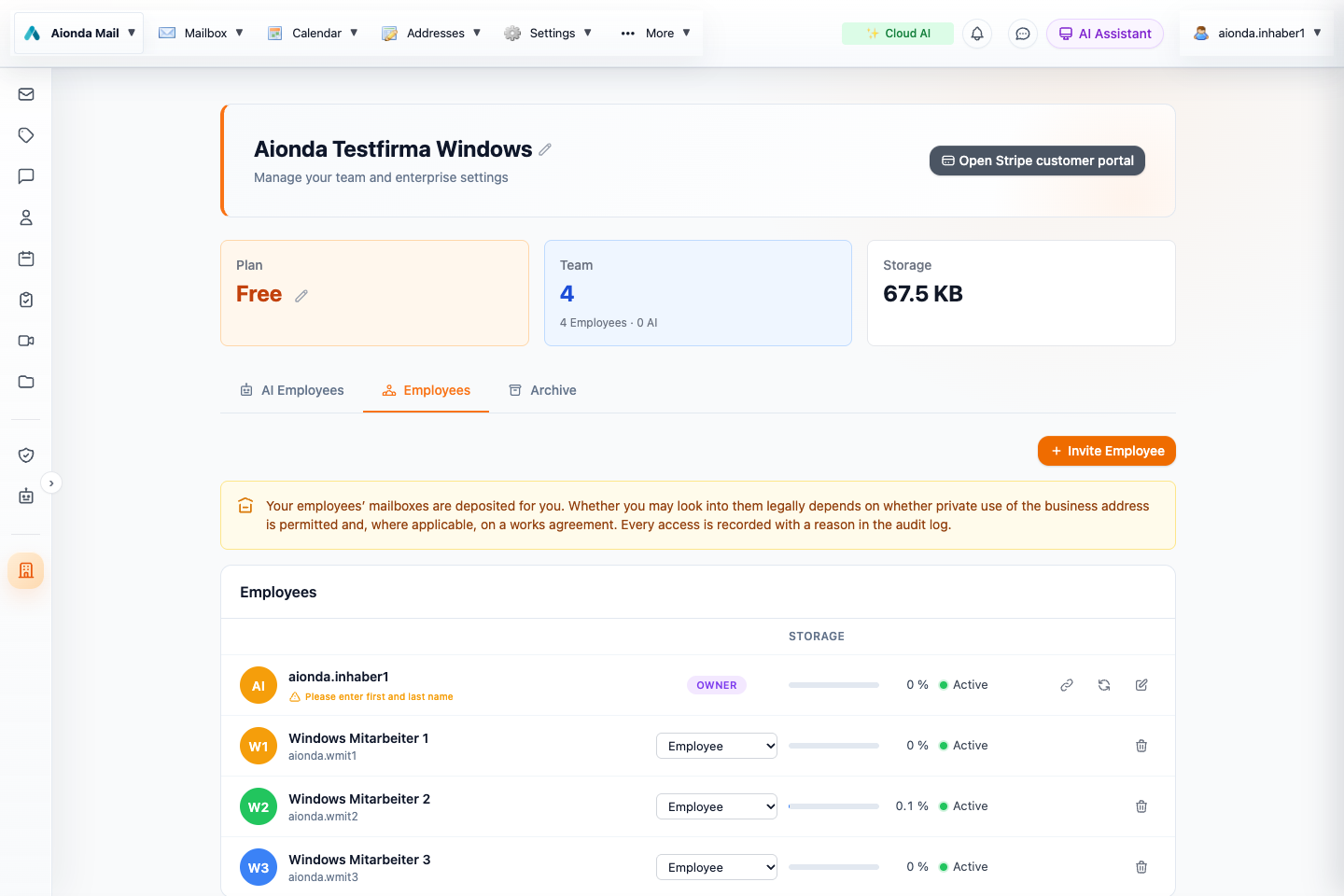
- Open Employees.
- Invite a colleague.
- Review membership and roles.
Select the screenshot to open the full-size image.
Company administration
Open Enterprise to see company settings, the employee roster, AI Employees and Archive. The owner manages the organization and employee profiles. Roles such as administrator, compliance officer, manager and employee represent different responsibilities; choose the least access needed for the job.
- Review the company name and owner profile.
- Invite employees using Invite Employee.
- Check the resulting membership and role after the invitation is accepted.
- Review each employee’s published contact address and visibility membership.
- Configure archive and AI access separately from ordinary directory membership.
Names and directory identities
Store a first and last name for a readable directory. If these are absent, the username is used. Human employees and AI employees have distinct identities. Do not classify people automatically by surname: a family member can also be a genuine employee with different access needs.
Owner access and key deposit
Enterprise mailbox access can use deposited key material for authorized owner access. Review deposit status before assuming a mailbox can be opened. Access is recorded with a reason in the audit trail. The technical ability to open a mailbox does not decide whether doing so is legally appropriate for a particular employment or private-use arrangement.
Offboarding
Before removing a member, review their shared resources, responsibilities, aliases and records that must remain available. Retained archive records and exported copies are separate from the employee’s current directory visibility. Test access from the affected role after changes.