

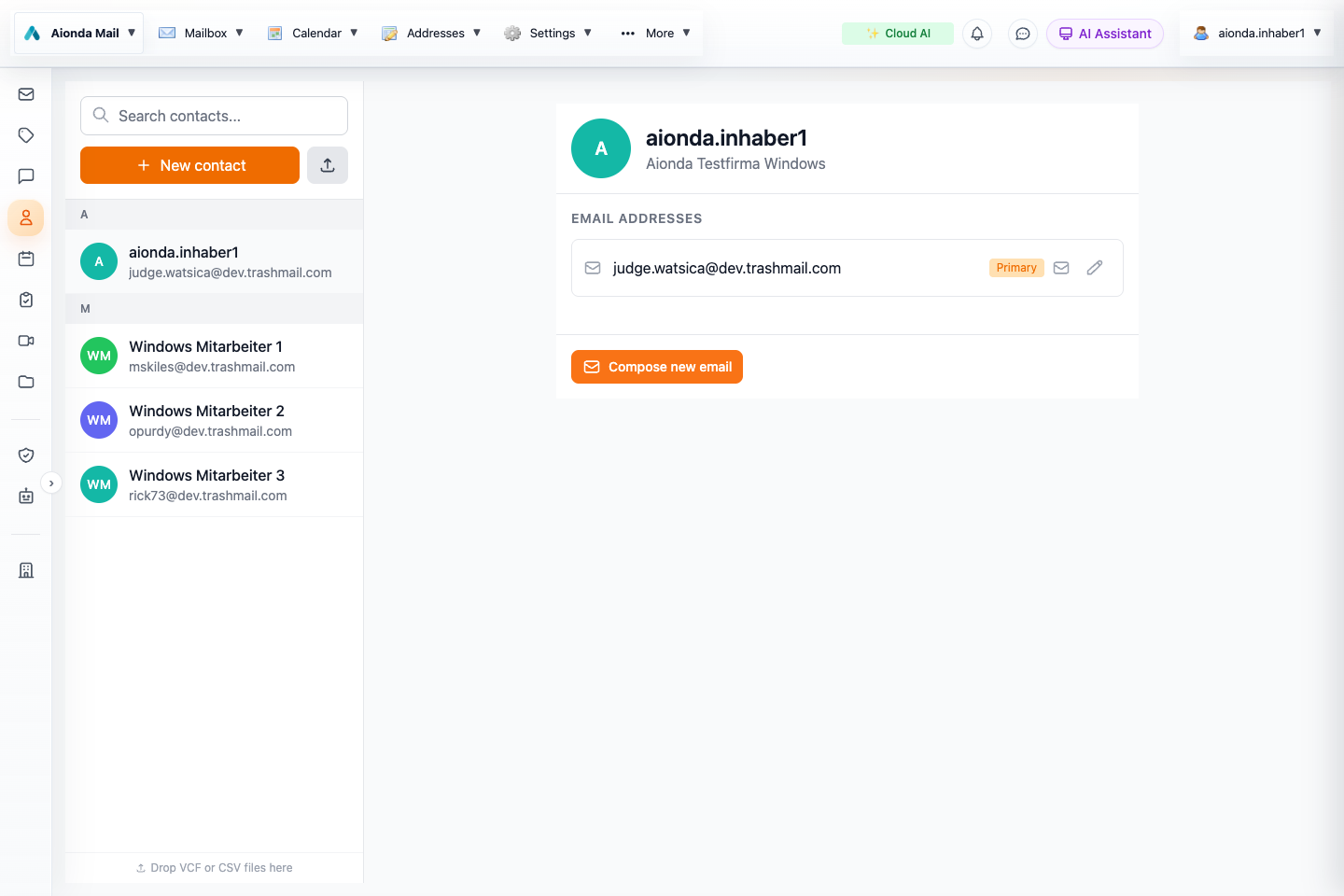
- Select a directory entry.
- Review the contact card and its published email address.
Select the screenshot to open the full-size image.
Two kinds of contact
Personal contacts belong to your encrypted address book. Create them with New contact or import supported VCF/CSV files. Review imported names and addresses before saving; an import can contain duplicates or outdated details.
Company contacts are supplied by the organization. They appear automatically according to your membership and visibility permissions. They are not editable copies in every employee’s personal address book. Ordinary colleagues see directory records as read-only; the owner manages company profile information.
Choose the published address
- Open Contacts and select your own directory entry, or an employee entry you are authorized to manage.
- Use the edit action beside Email addresses.
- Choose the standard DEA from the eligible addresses and save.
- Check the address now displayed on the contact card.
An employee can choose their own standard address; the owner can manage it too. If no first and last name are stored, the username is displayed. Address autocomplete uses eligible directory contacts alongside personal contacts. Check the chosen address before sending to similarly named people.
Privacy boundaries
Directory visibility does not automatically share the contents of personal contacts, mailboxes, files or calendars. A personal contact you created is not removed merely because a company visibility group changes. Publishing personal contacts to an entire visibility group is not part of this first directory version.