

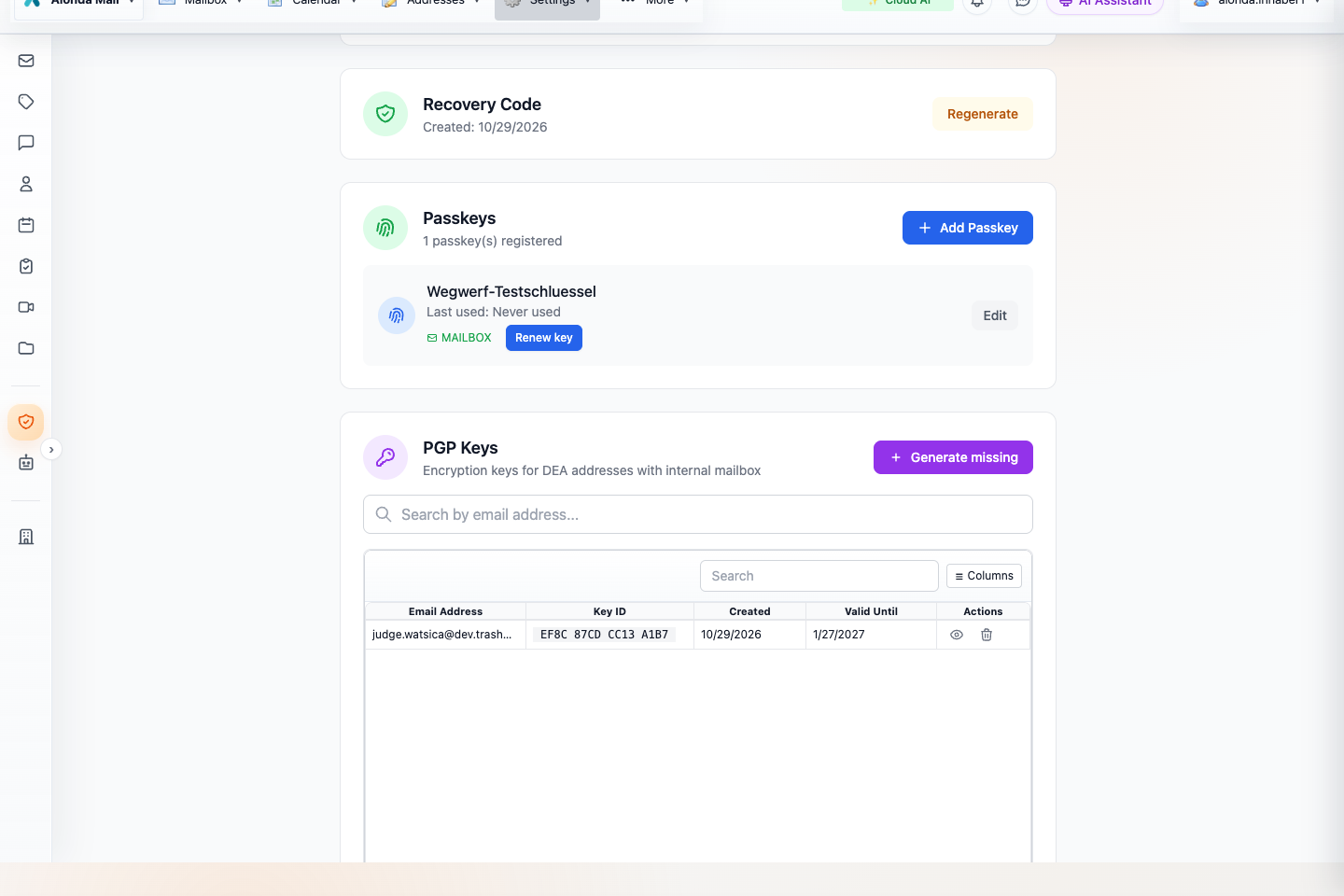
- Find the PGP key for your Secure Mailbox address.
- Check validity and open Details.
- Generate missing keys only for eligible addresses.
Select the screenshot to open the full-size image.
What PGP adds
OpenPGP encrypts content for a recipient’s public key so that the corresponding private key is needed to read it. If the sender encrypts before sending, the protected body and attachments can cross mail servers as ciphertext. This is different from encrypting an ordinary message only after it arrives in the Secure Mailbox.
A signature serves another purpose: it helps verify integrity and the signing key. A signed but unencrypted email remains readable. Trust in the key’s owner must still be established; a familiar display name alone is not enough.
Your address keys
- Open Security and scroll to PGP Keys.
- Locate the Secure-Mailbox-only alias you want to use. Check its Key ID and Valid Until date.
- Open Details to inspect the public-key information. Share public information, never private key material.
- If an eligible alias has no key, use the offered Generate missing workflow after unlocking.
Public keys for eligible aliases are published through WKD (Web Key Directory), allowing compatible senders to discover them. Automatic key management is designed for eligible Secure-Mailbox-only addresses; an alias that also forwards externally is a different delivery arrangement. Verify the destination and available key before promising a correspondent that you can decrypt their mail.
Send an encrypted message
- Select the intended From address and enter every To, Cc and Bcc recipient.
- Allow key discovery, or use an appropriate recipient public key stored with the contact. The Web composer can look up keys through WKD and the supported key service.
- Inspect the PGP state. All recipients need usable keys for an encrypted send; a key for only one recipient is not sufficient.
- Check fingerprints with the recipient through another trusted channel when identity matters.
- Confirm that encryption is enabled, review attachments and send. Resolve a missing, expired or revoked key instead of assuming that the message remained encrypted.
The composer encrypts the supported body and attachments in the client using PGP/MIME. Delivery metadata, such as routing addresses, is still needed by mail systems. Do not assume that the ordinary Subject header is hidden.
Read, renew and preserve keys
Unlock the mailbox to use the protected private keys needed for decryption. If an old message cannot be opened, check whether the matching historical key is available. Rotating a key for new mail does not make an old message readable with the new key alone. Avoid deleting key material needed by existing correspondence.
PGP and post-quantum are not interchangeable
The PGP key generation reviewed for this Web version uses classical Ed25519/X25519 keys. Aionda’s mailbox storage separately uses hybrid X25519 + ML-KEM-1024 key encapsulation. Therefore a PQ badge on the stored mailbox copy must not be read as proof that the external PGP exchange itself used a post-quantum algorithm.
A practical check
Exchange a harmless test message with your correspondent, inspect the encryption and signature information, and confirm that both sides can read the reply. Repeat the check after changing addresses or keys. For messages received without PGP, the Security information can still explain the transport and encrypted-storage protection that did apply.